


The arrival of Apache Spark version 3.5 has revolutionised the way we work with UDFs. Although there have always been problems with them, as we discussed in Avoiding UDFs in Apache Spark, we can now enjoy the optimisation of our UDFs through Apache Arrow.
What are user-defined functions (UDFs)?
When working with PySpark, UDFs (User Defined Functions) are elements that allow you to extend and customise the operations performed on data. Basically, they are custom functions that are defined in Python and applied to the columns of a DataFrame. The underlying problem here is that standard UDFs can be a bit slow if they are not well optimised.
The difficulty lies in the fact that Spark runs on the JVM, but UDFs run in Python. Every time the UDF is called, the data must be serialised, the UDF must be executed in Python, and then the reverse process must be performed to return it to the JVM context.
Now, with Spark 3.5 integrating Apache Arrow for UDF processing, everything is dramatically accelerated. In this post, we won’t go into detail about why Arrow speeds up the exchange, as we covered that in the Introduction to Apache Arrow. However, we will clarify that, in short, Arrow allows us to keep data in a shared memory between the JVM and the Python context. Thanks to this possibility, we can save on data serialisation and deserialisation.
How to enable UDFs for Arrow in Spark 3.5
To enable the use of UDFs optimised for Apache Arrow in Apache Spark version 3.5, run the following command:
spark.conf.set("spark.sql.execution.arrow.pyspark.enabled", "true")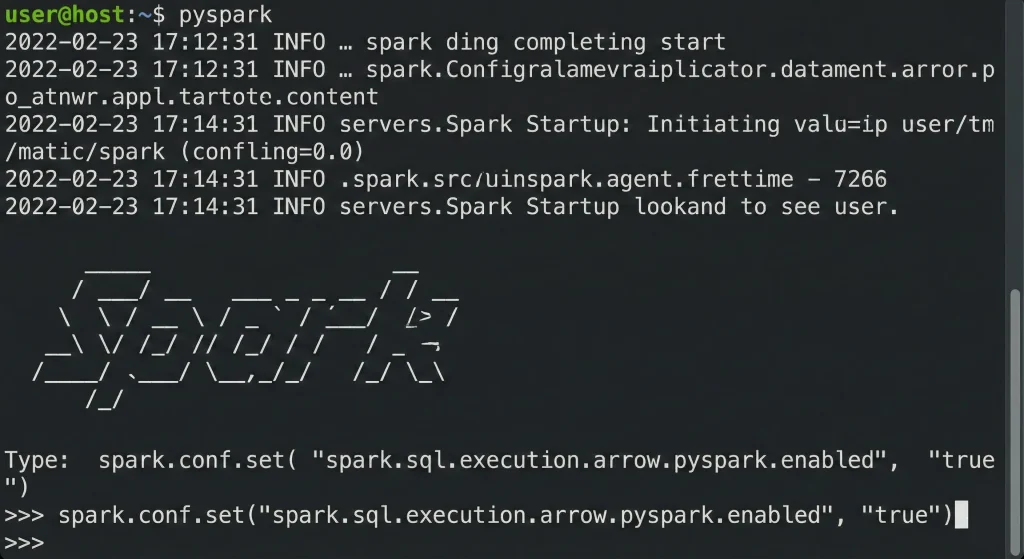
This option is disabled by default up to version 4.0. Next, we will see through a series of examples how performance improves with and without the use of Arrow.
Convert PySpark DataFrame to Pandas
Next, we will see an example of how to convert a PySpark DataFrame to a Pandas DataFrame.
from pyspark.sql import SparkSession
import time

spark = SparkSession.builder \
   .config("spark.driver.memory", "6g") \
   .config("spark.driver.cores", "3") \
   .getOrCreate()


df = spark.range(1, 1000000)

start = time.time()
pdf = df.toPandas()
end = time.time()
total_time = end - start

print(f"Total time without arrow enabled was {total_time}")

spark.conf.set("spark.sql.execution.arrow.enabled", "true")
spark.conf.set("spark.sql.execution.arrow.fallback.enabled", "true")

start = time.time()
pdf = df.toPandas()
end = time.time()
total_time = end - start

print(f"Total time with arrow enabled was {total_time}")


Execution results:

Total time without arrow enabled was 5.553412675857544
Total time with arrow enabled was 0.46186256408691406
When looking at the execution results, performance increases dramatically when PyArrow is enabled.
Execute standard UDFs in PySpark
Next, we will test another implementation using UDFs defined in PySpark. A UDF function in PySpark executes custom logic on each row of a DataFrame. In this regard, it should be noted that UDFs in PySpark are not optimised to run in a distributed manner. Generally, UDFs require serialisation and deserialisation of data between JVM (Java Virtual Machine, where Spark runs) and Python, which is costly.
from pyspark.sql import SparkSession
from pyspark.sql.functions import udf, col, rand
from pyspark.sql.types import StringType
import time

spark = SparkSession.builder \
   .config("spark.driver.memory", "6g") \
   .config("spark.driver.cores", "3") \
   .getOrCreate()

df = spark.range(1, 100000)
random_df = df.select(*((col(c) + rand(seed=1234)).alias(c) for c in df.columns))


@udf(returnType=StringType())
def add_prefix(index):
   return f"Hi {index}"


start = time.time()
result = random_df.withColumn("nc", add_prefix(random_df["id"]))
result.collect()
end = time.time()
total_time = end - start

print(f"Total time without arrow was {total_time}")

spark.conf.set("spark.sql.execution.arrow.enabled", "true")
spark.conf.set("spark.sql.execution.arrow.fallback.enabled", "true")

@udf(returnType=StringType())
def add_prefix_2(index):
   return f"Hi {index}"

start = time.time()
result = random_df.withColumn("nc", add_prefix_2(random_df["id"]))
result.collect()
end = time.time()
total_time = end - start

print(f"Total time with arrow was {total_time}")


Execution results:

Total time without arrow was 2.7320878505706787
Total time with arrow was 0.7661206722259521
As we can see, there is another substantial improvement in performance when converting from integer to string for each of the executions.
Use pandas_udf function
In this case, we will look at one last example in which the pandas_udf function is used.
import random

from pyspark.sql import SparkSession
from pyspark.sql.types import StringType, StructType, StructField, IntegerType
from pyspark.sql.functions import pandas_udf
import time
import pandas as pd

spark = SparkSession.builder.config("spark.driver.memory", "6g").config("spark.driver.cores",
                                                                       "3").getOrCreate()

schema = StructType([
   StructField("log_id", StringType(), True),
   StructField("message", StringType(), True)
])

random_data = [(f"log_{random.randint(1000, 9999)}",
               random.choice(
                   ["Error occurred", "Operation successful", "Timeout", "Invalid input"]))
              for _ in range(100000)]

df = spark.createDataFrame(random_data, schema)


@pandas_udf(StringType())
def func(s1: pd.Series, s2: pd.Series) -> pd.DataFrame:
   return s1 + s2


start = time.time()
result_df = df.withColumn("result", func(df["log_id"], df["message"]))

result_df.collect()
end = time.time()
total_time = end - start
print(f"Total time without arrow was {total_time}")

spark.conf.set("spark.sql.execution.arrow.enabled", "true")
spark.conf.set("spark.sql.execution.arrow.fallback.enabled", "true")

start = time.time()
result_df = df.withColumn("result", func(df["log_id"], df["message"]))

result_df.collect()
end = time.time()
total_time = end - start
print(f"Total time without arrow was {total_time}")

Execution results:

Total time without arrow was 6.746865749359131
Total time without arrow was 1.6970367431640625
In PySpark, the @pandas_udf decorator allows you to define UDFs but using Pandas instead of operating row by row. On the other hand, pandas_udf operates with Pandas series as a parameter. This detail makes it possible to process data in blocks and take advantage of the benefits of Pandas Series.
Conclusion
In this post, we have analysed how the use of UDFs in PySpark has historically been a flexible but inefficient solution, especially due to the need to serialise and deserialise data between Python and the Spark JVM.
However, starting with Spark version 3.5, integration with Apache Arrow has led to a significant improvement in performance. As we have seen in the various examples, enabling Arrow dramatically speeds up operations, both in converting PySpark DataFrames to Pandas and in executing UDFs.
That’s all! If you found this post interesting, we encourage share it on your networks. See you soon!
